
Here’s what happens after installation:
✅ Orders from your Shopify store automatically sync into our system
✅ Our warehouse receives the order instantly
✅ Products are picked, packed, and shipped within 24–48 hours
✅ Tracking numbers are generated
✅ Tracking information automatically syncs back to Shopify
✅ Customers receive automatic shipment updates
No spreadsheets. No manual input. No operational chaos.
It’s a direct integration between Shopify and a professional 3PL system.
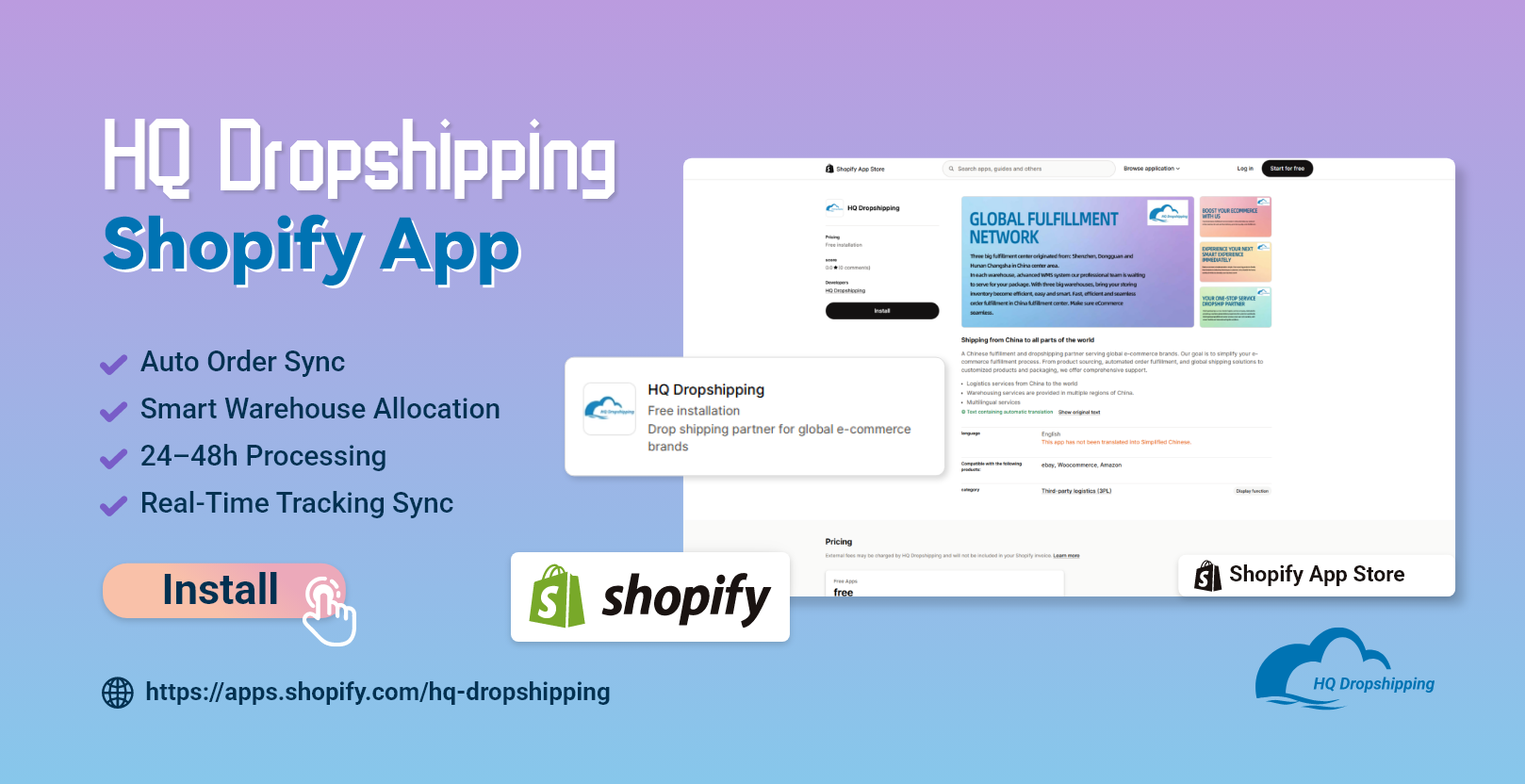
Here is the simplified setup process.
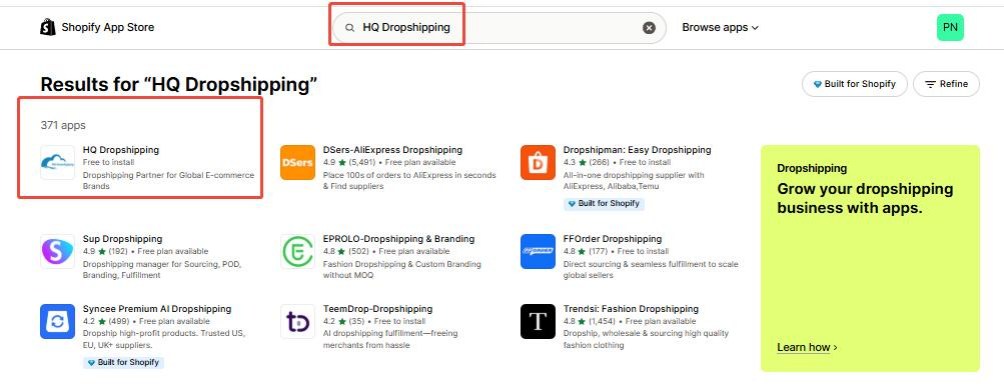
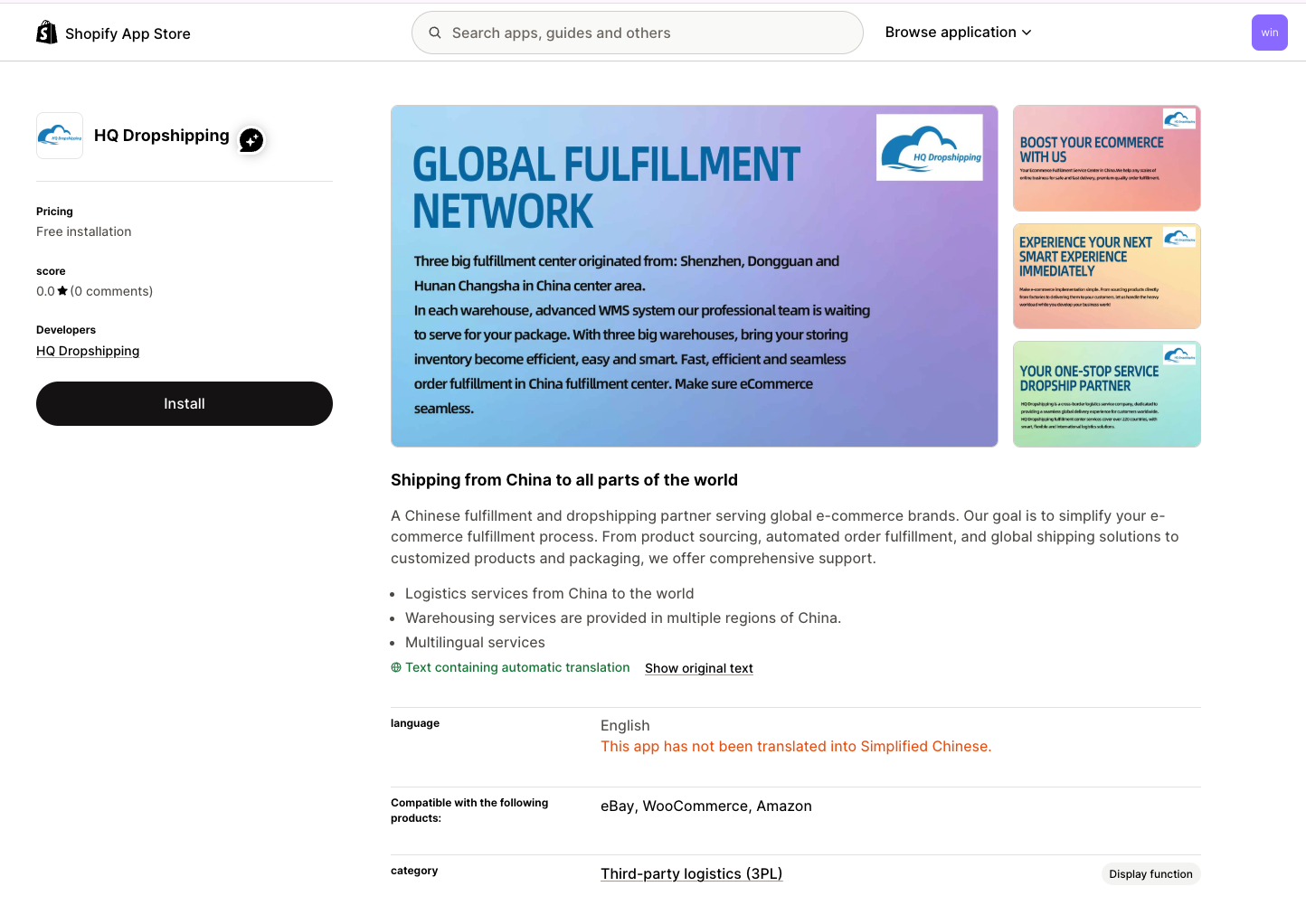
Go to the Shopify App Store and search for HQ Dropshipping.
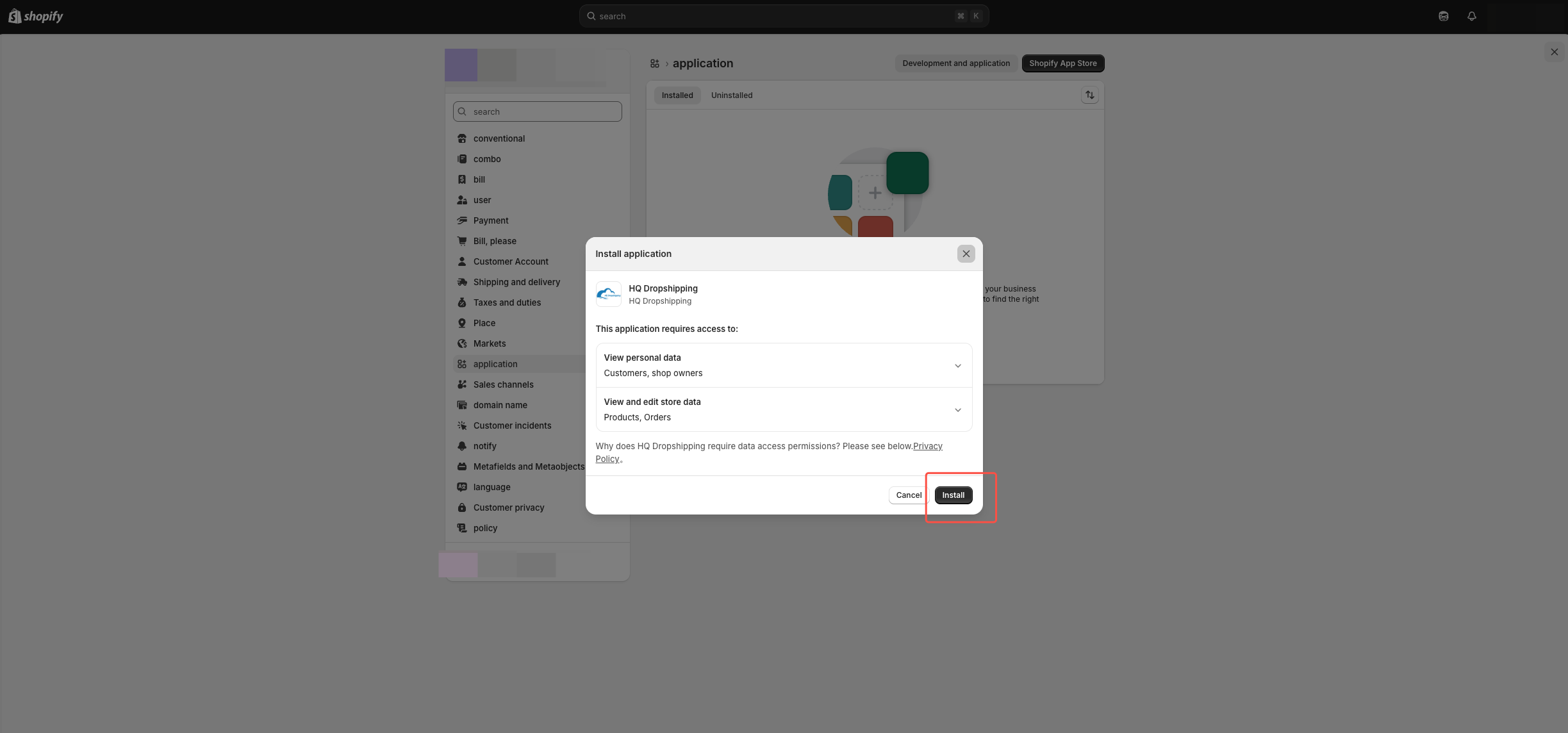
Click “Install” and authorize the app.
Note: Even Shopify Basic plans can connect.
After installation:
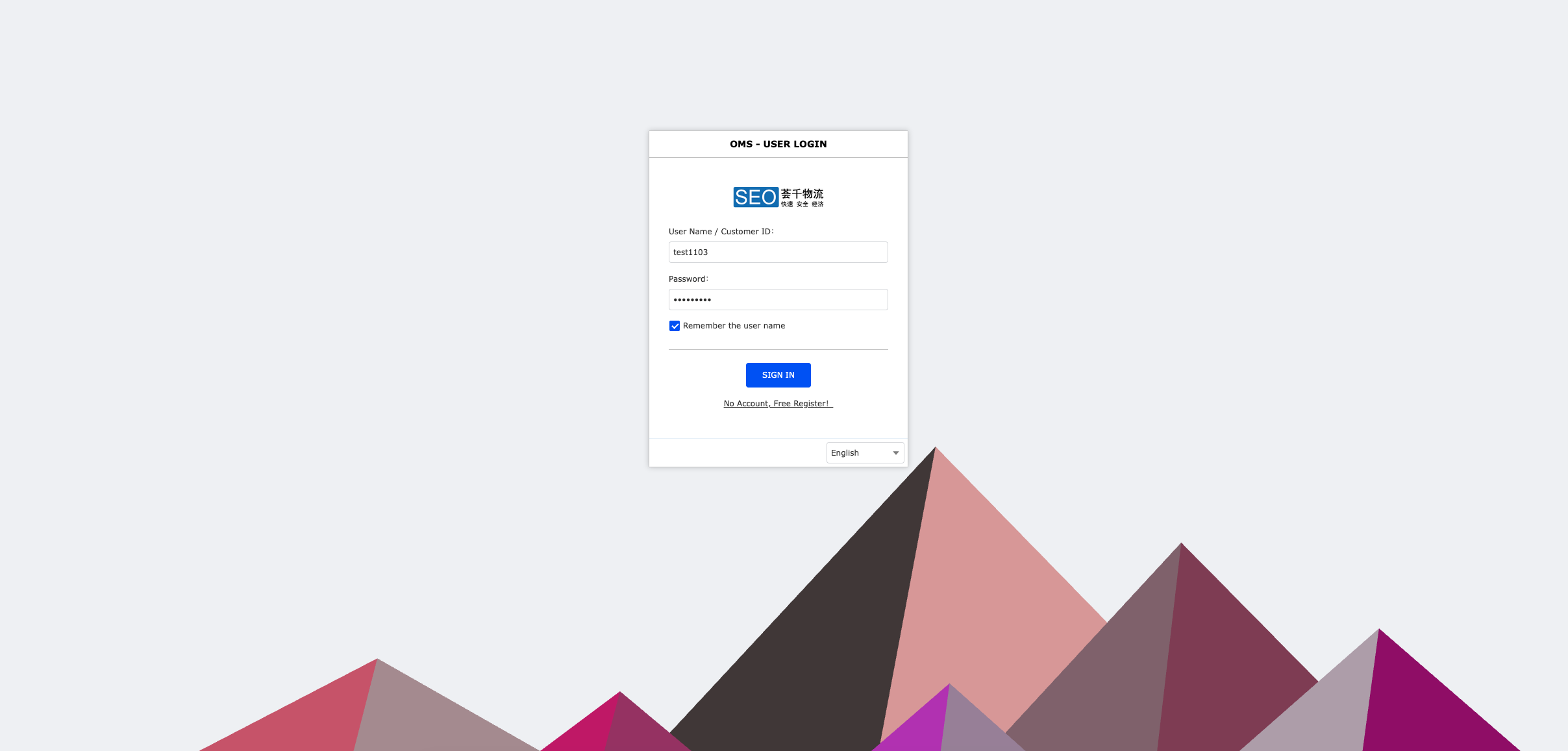
✅ Log into our ERP system (OMS – User Login) dashboard → Sign In
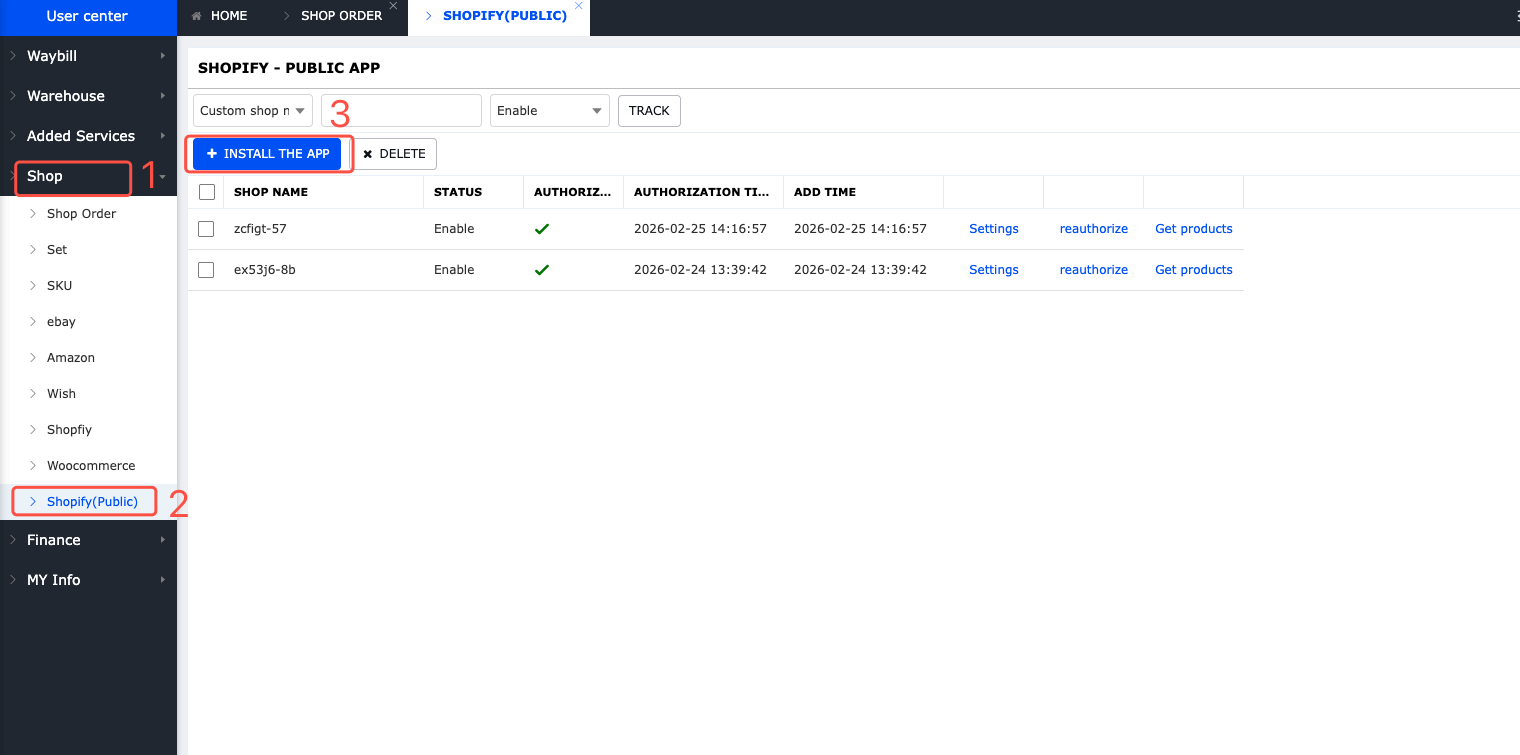
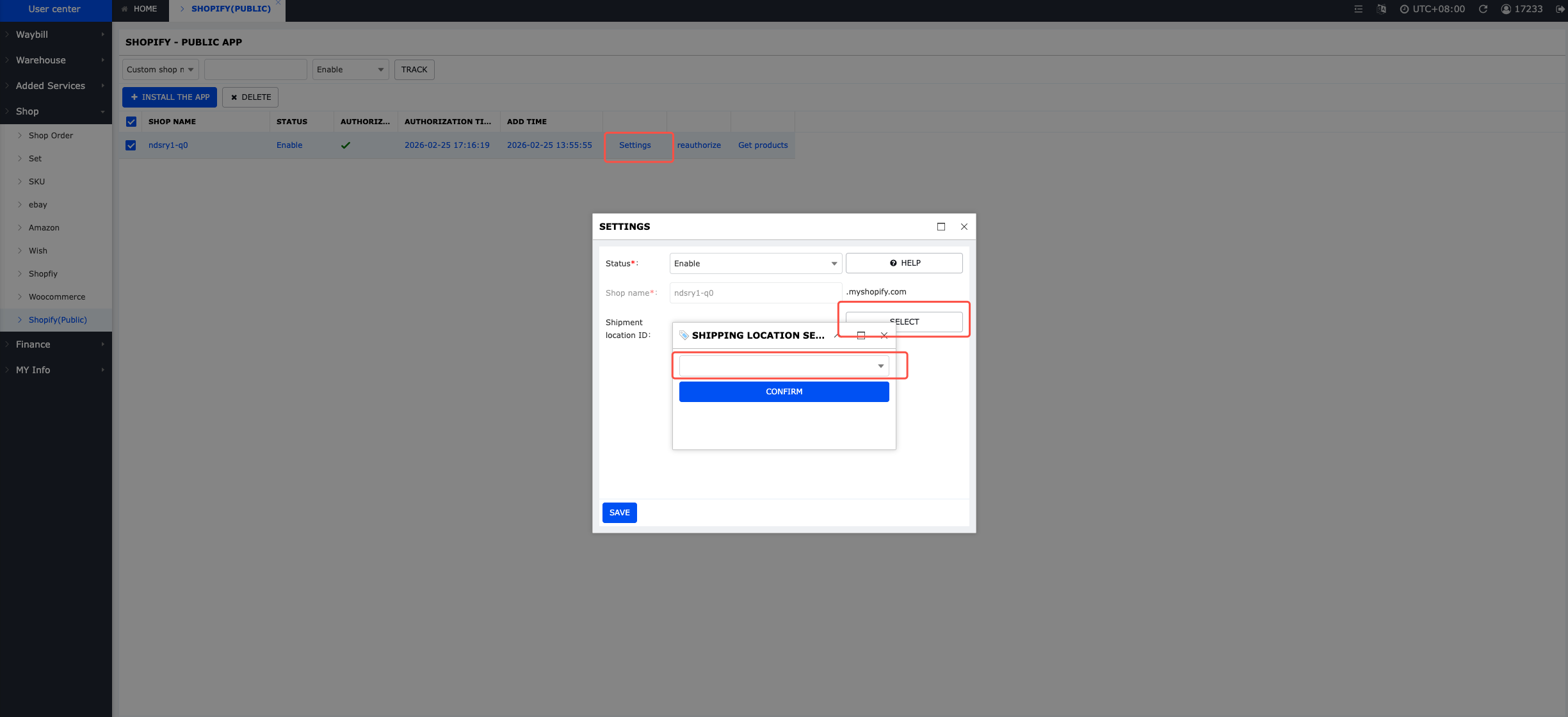
✅ Click My Store → Shopify (Public Application) → Install Application
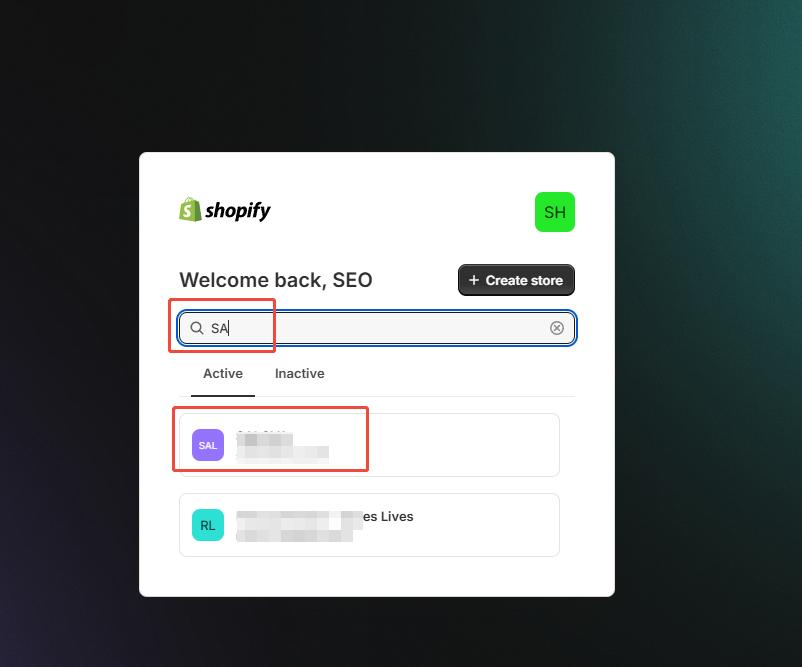
✅ The system will automatically redirect to the Shopify backend → Enter the customer’s store name → Click Authorize Successfully → You’ll be redirected back to the system’s connected page

If you are a New user, please Register in our ERP system afterwards:
✅ To activate your account, please reach out to your dedicated sales representative or our 24/7 support team for verification.(WhatsApp:+86 186 9222 6530)https://wa.me/message/ZWDV45Q5P6MFN1
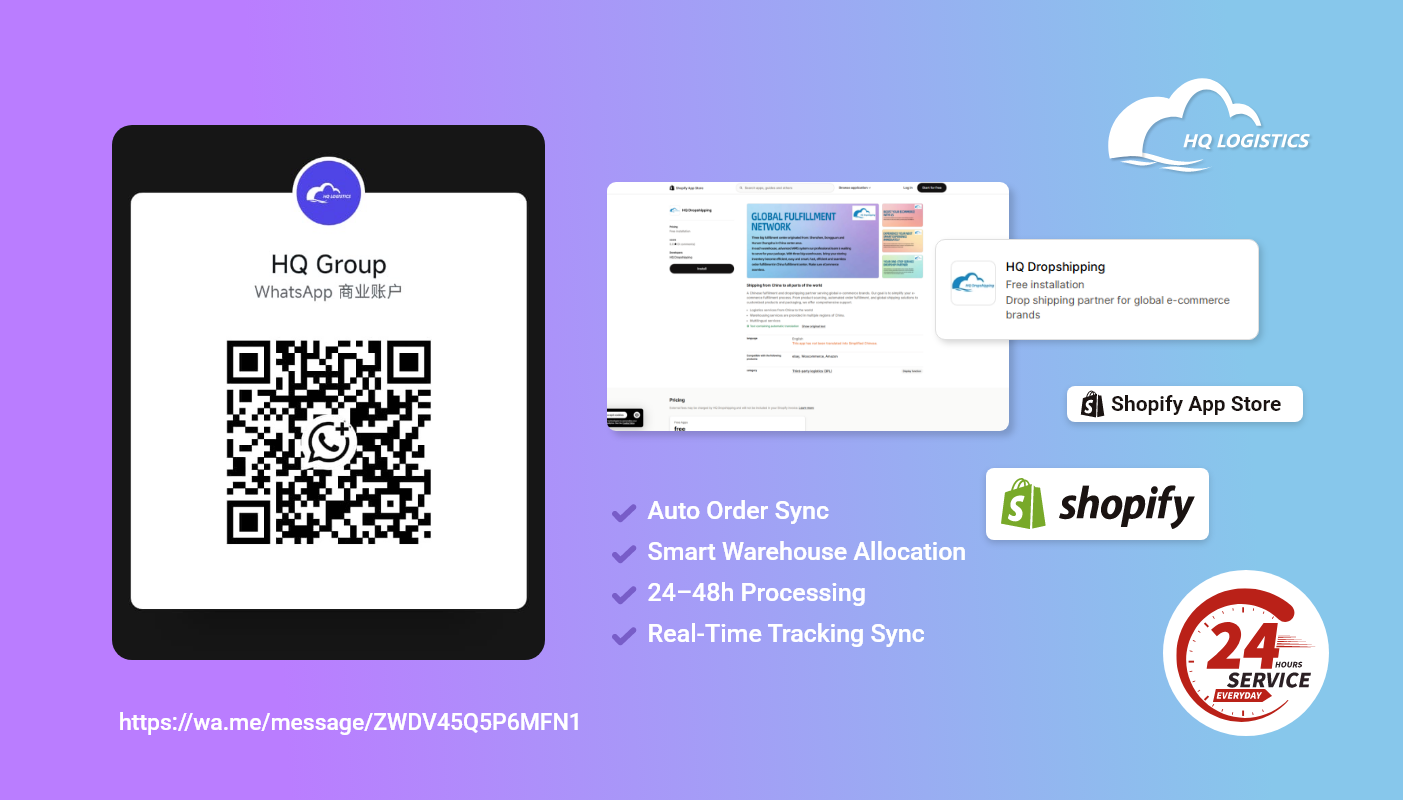
✅ Once approved, you will be granted system access to configure your store settings, assign warehouse locations, and begin order synchronization.
Inside the dashboard:
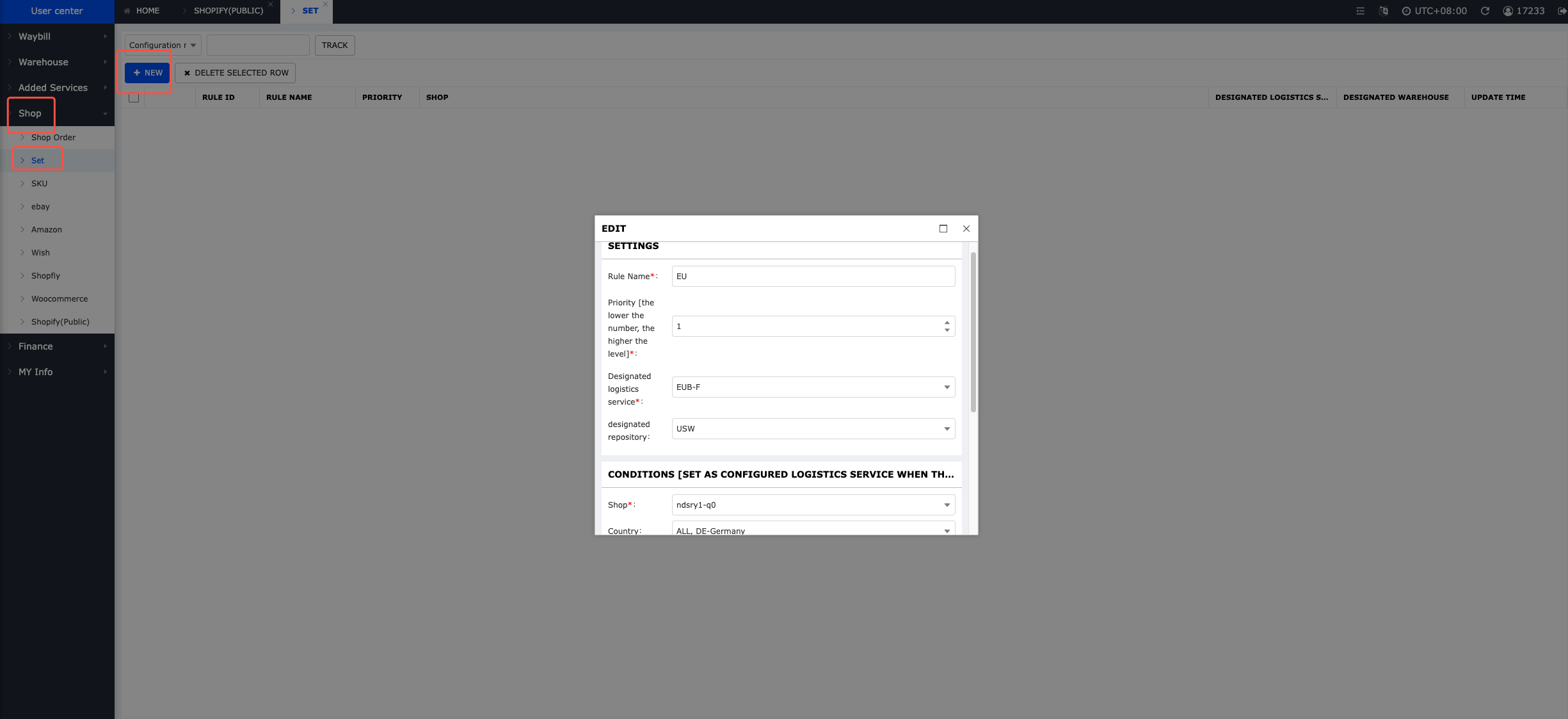
✅ Set your primary shipping countries ✅ Assign the appropriate warehouse ✅ Confirm product SKUs are mapped correctly
This ensures accurate routing and fulfillment.
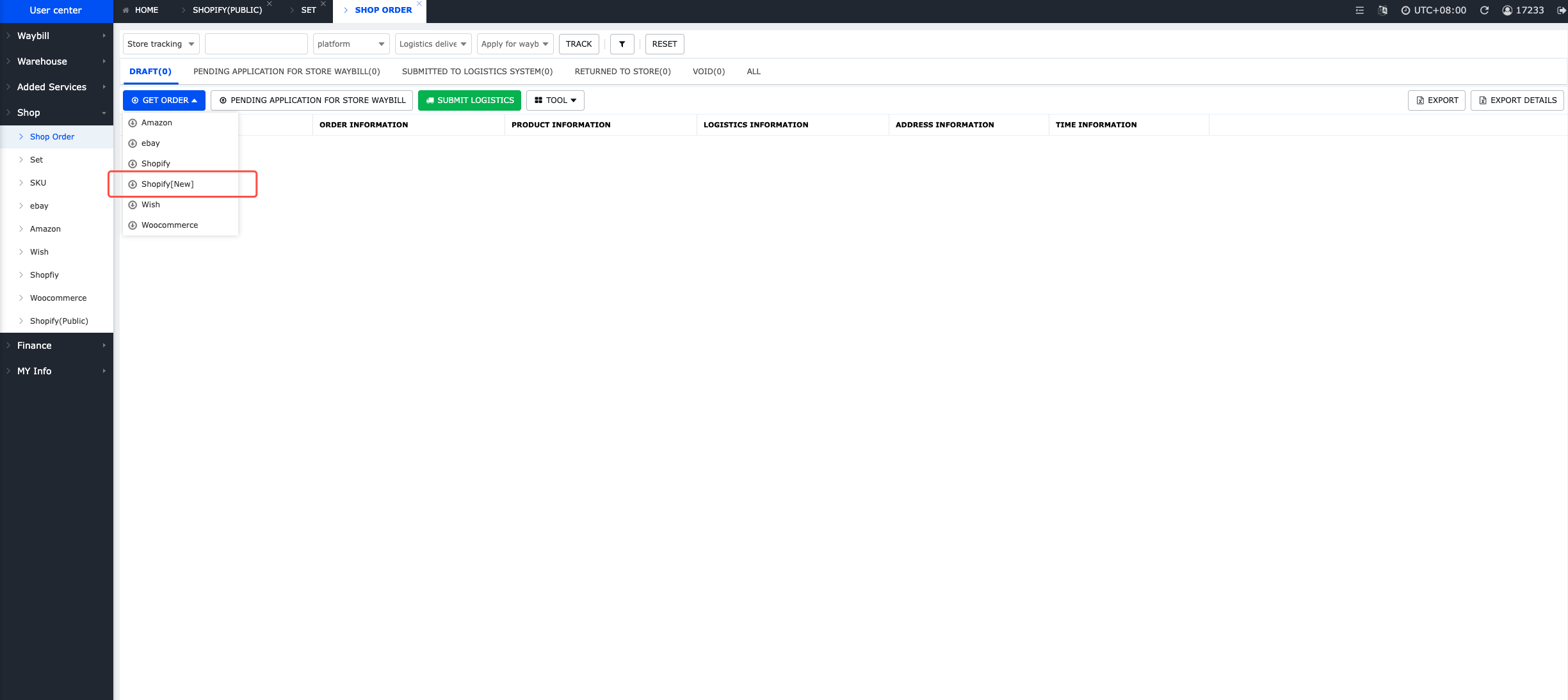
Go to:
My Store → Store Orders → Get Orders → Shopify (New)
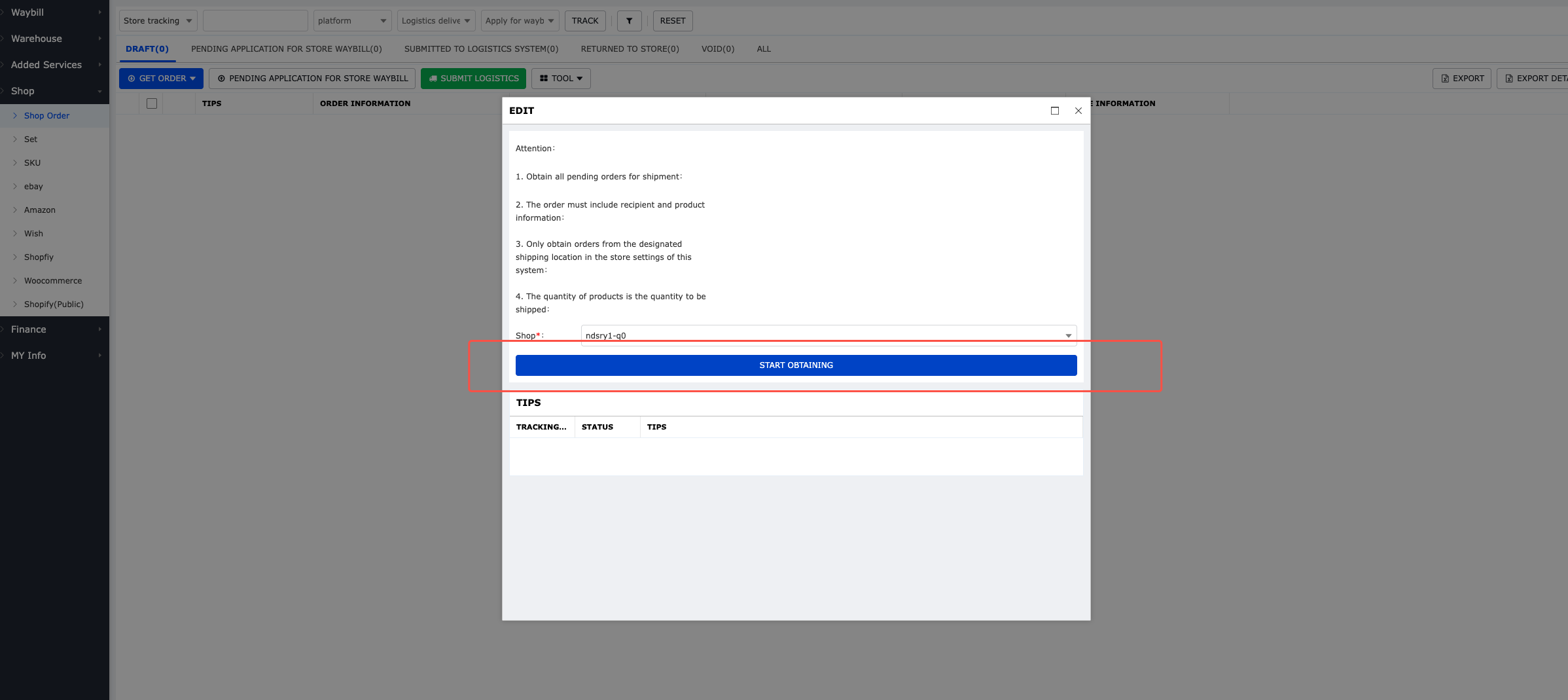
Click “Get Orders.”
Your store orders will now sync into the HQ system.
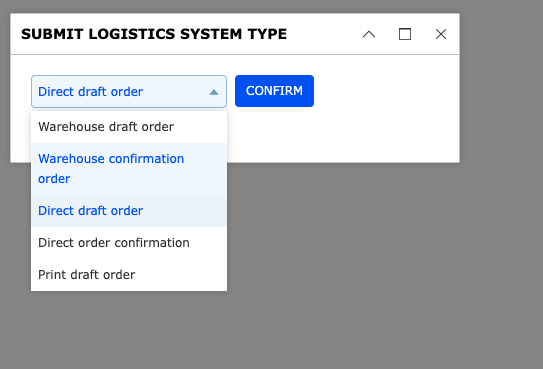
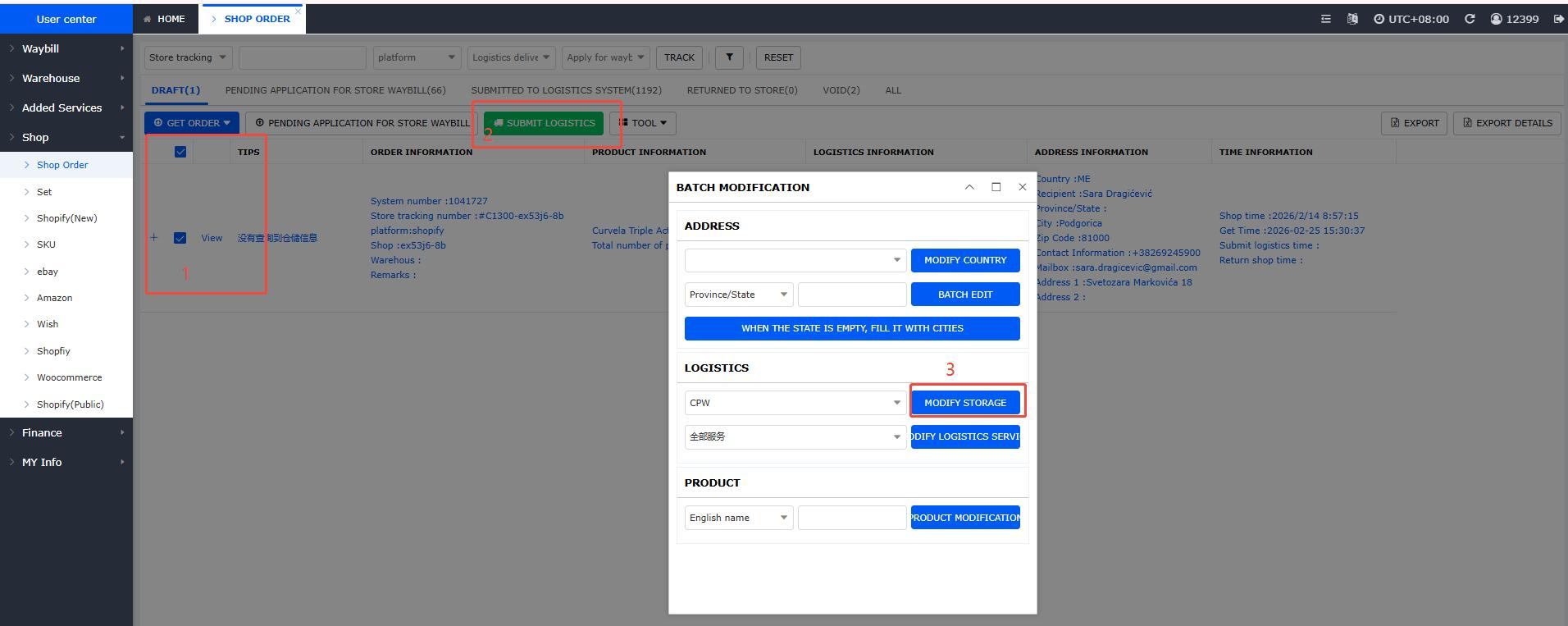
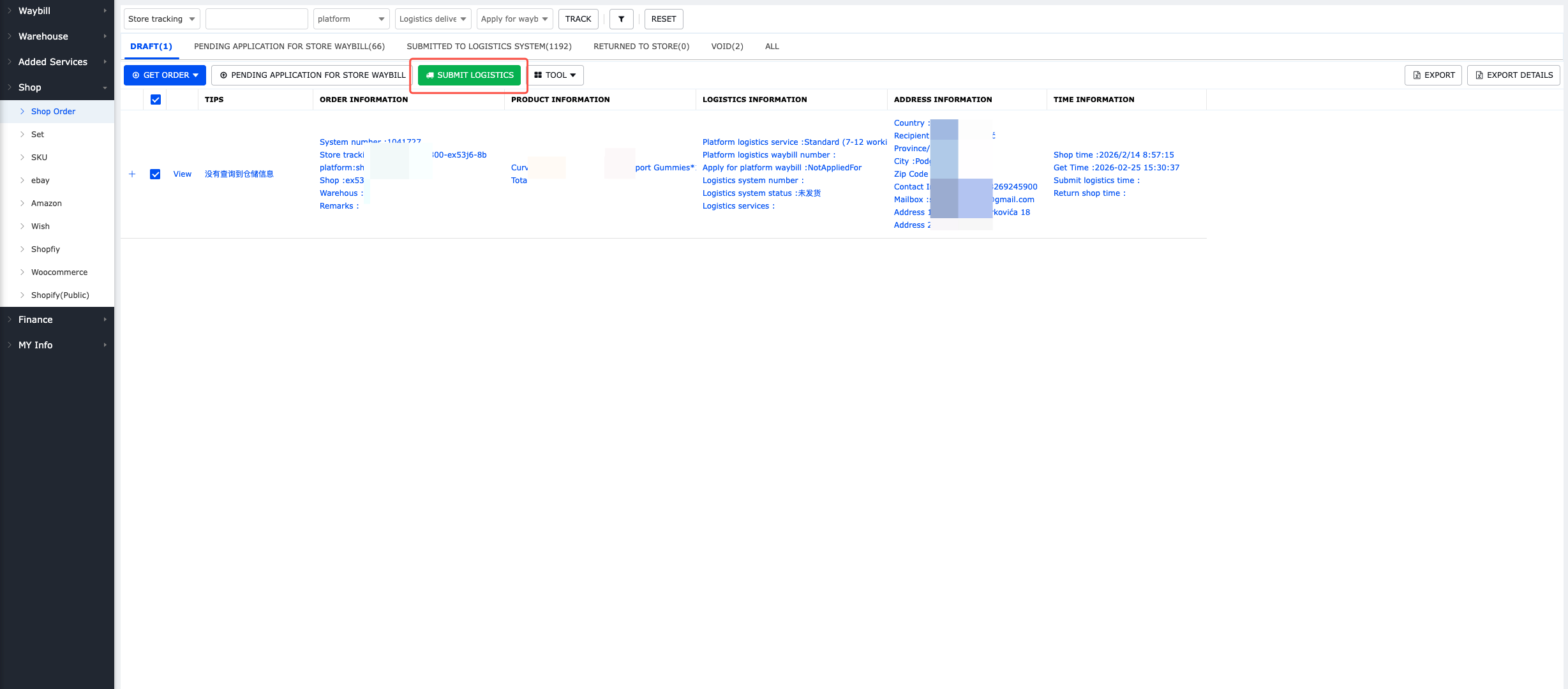
Select the orders you want fulfilled and submit them.
The warehouse will begin processing immediately.
Once shipped:
✅ Tracking numbers are generated ✅ They sync automatically back to your Shopify store ✅ Customers receive shipment notifications
Your fulfillment cycle is now fully automated.
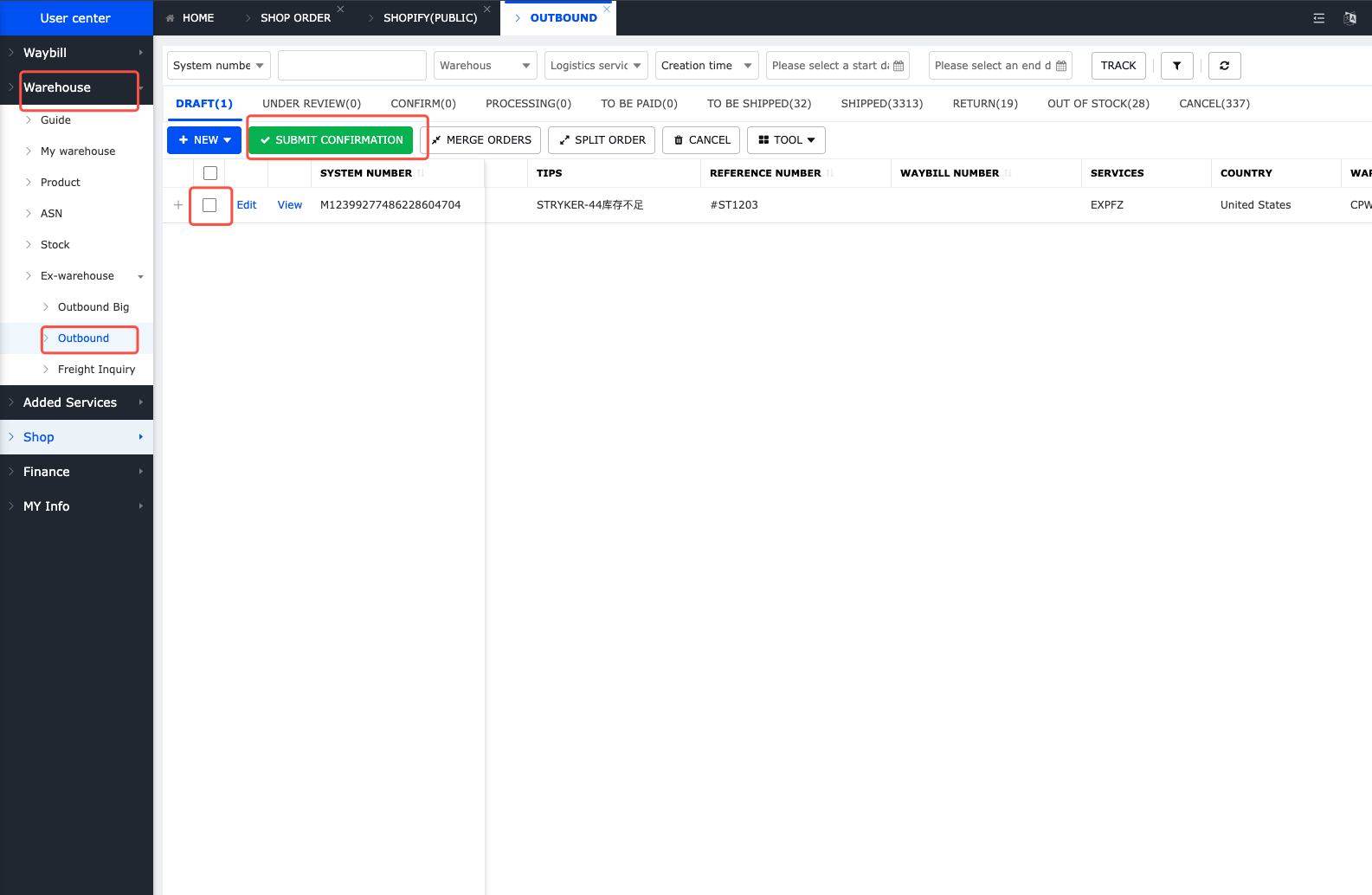 Order submission confirmation
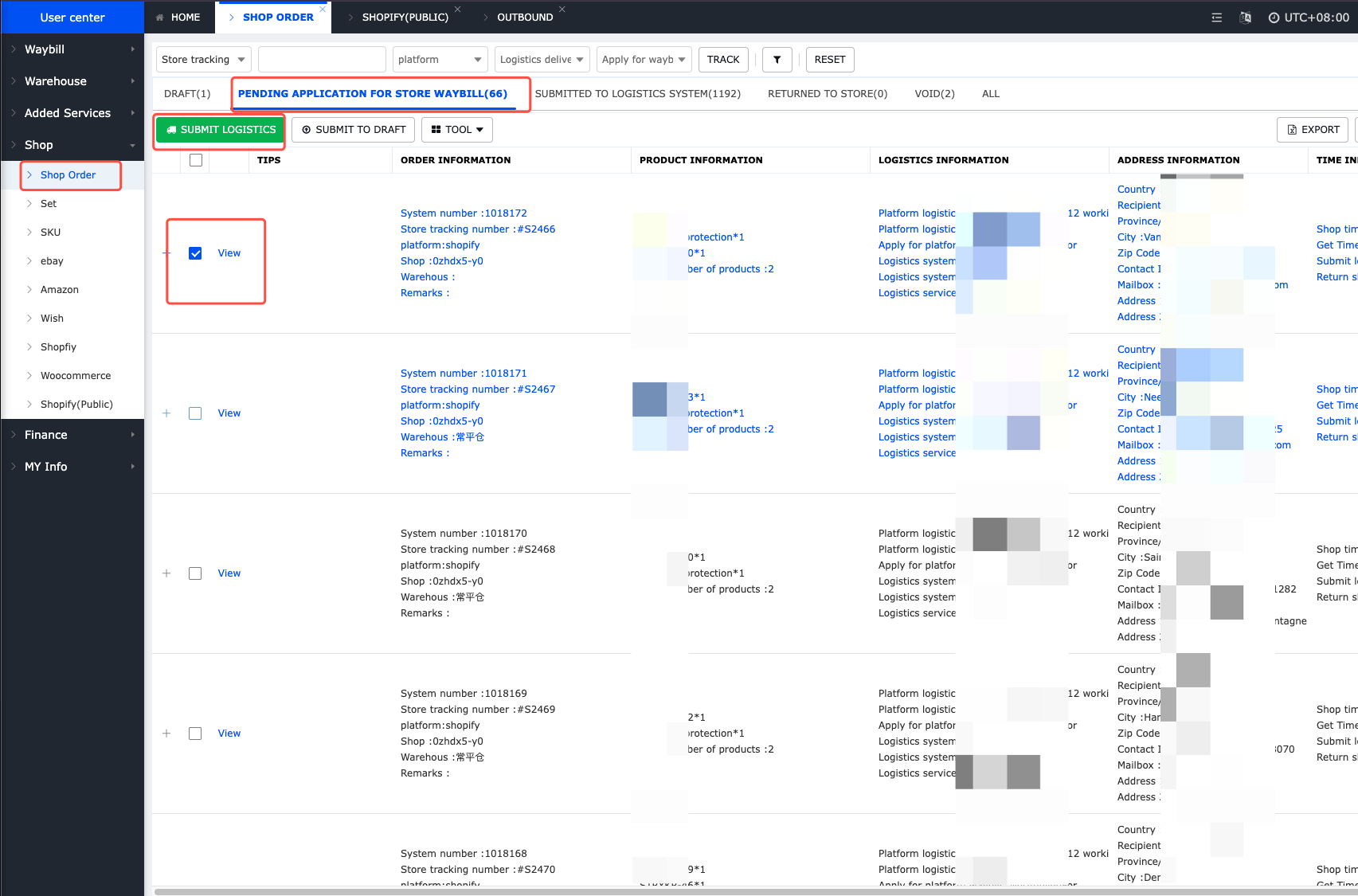
Upload tracking number to store
Common Mistakes to Avoid
Even with automation, sellers often make these errors:
❌ 1. Not Mapping SKUs Properly
If your product SKUs don’t match between Shopify and the fulfillment system, orders may not process correctly. Always double-check SKU consistency.
❌ 2. Incorrect Warehouse Selection
If you sell globally, make sure the correct warehouse is assigned to the correct region. Smart warehouse allocation reduces cost and delivery time.
❌ 3. Not Testing Before Scaling
Before launching large ad campaigns:
✅ Test 3–5 orders ✅ Verify tracking updates ✅ Confirm shipping time
Always validate the workflow first.
❌ 4. Staying Manual Too Long
Many sellers delay automation until they feel “big enough.” Automation should start early. It prevents scaling pain later.
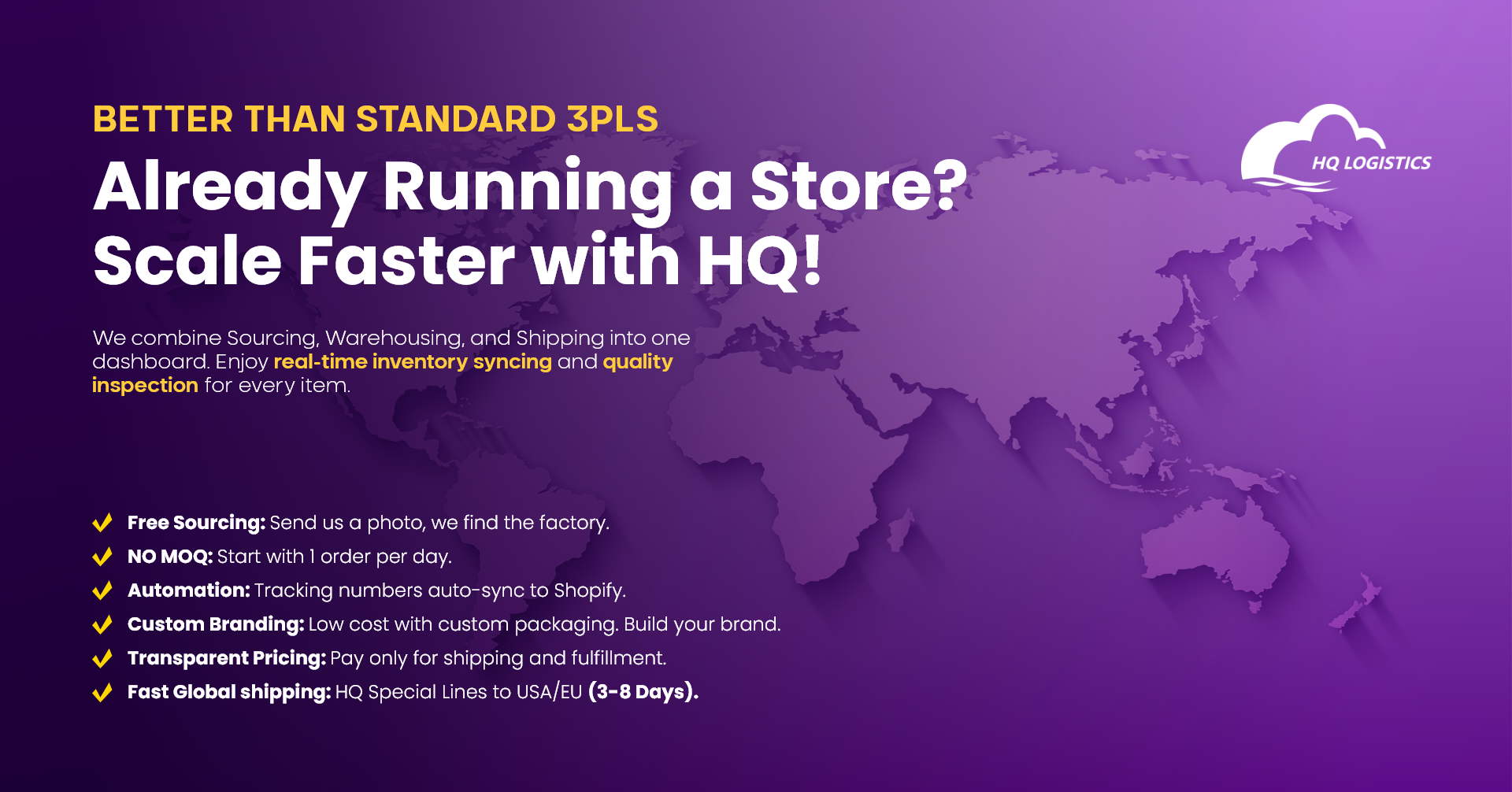
Install the HQ Dropshipping App today.
Or contact our team for a free setup consultation.
Scale your store. Let the system handle the operations.




Customer's favorable comments is our eternal motivation. We feel grateful for all the support and company.

Lorem ipsum dolor sit amet, consetetur sadipscing elitr, sed diam nonumy eirmod tempor invidunt ut labore et dolore magna aliquyam erat, sed diam voluptua.